
The Choice No One Warned You About
Most people didn’t consciously choose their cloud storage. They ended up with it. iPhone users got iCloud. Android users got Google Photos. Windows users got OneDrive baked into their taskbar. And for years, that default was fine — storage was cheap, libraries were small, and nobody thought much about it.
In 2026, that passive approach is starting to cost people. Storage needs have exploded alongside 4K video, ProRAW photography, and the habit of never deleting anything. Pricing tiers have quietly shifted. Privacy has become a real concern. And the gap between these three platforms — in terms of what they actually do well — is wider than most people realise.
This is a genuine comparison, not a spec sheet. Here’s what you need to know before you commit to paying for one of these services.
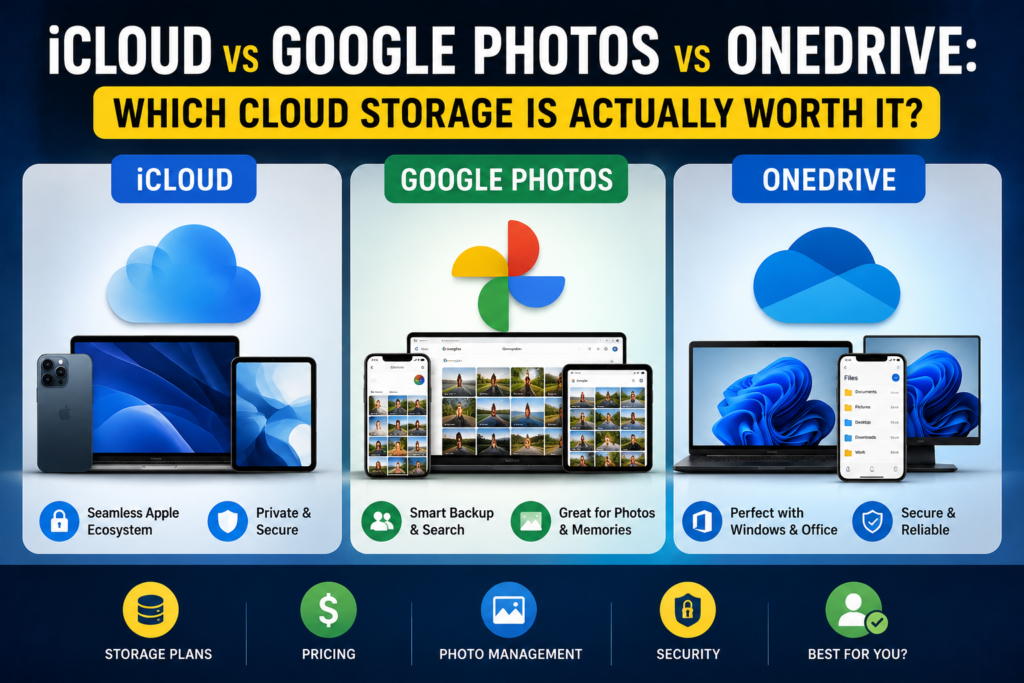
What Each Service Actually Is
Before comparing them, it’s worth being precise about what you’re comparing — because these three aren’t really equivalent products.
Google Photos is primarily a photo and video backup and management service. Its power lies in AI organisation, cross-platform access, and search. It’s less a general file storage solution and more a dedicated home for your visual memories.
iCloud is Apple’s full-device sync and backup ecosystem. It stores photos, yes, but also your messages, app data, device backups, documents, and contacts. It’s less a product and more infrastructure for your entire Apple life.
OneDrive is Microsoft’s general-purpose cloud storage and file sync service. Photos are supported, but OneDrive’s real identity is as a document and file platform — particularly for anyone inside the Microsoft 365 ecosystem.
Knowing this distinction matters because you might actually need more than one of them.
Free Storage: A Tale of Three Very Different Starting Points
Google Photos provides 15 GB of free storage, while iCloud offers only 5 GB — and both pools are shared with other services. Google’s free tier is split across Drive, Gmail, and Photos, while iCloud’s 5 GB competes with device backups and app data. In practice, iCloud’s free tier fills up alarmingly fast the moment you enable device backups. Google’s 15 GB lasts longer, but heavy Gmail users will find it shrinking too.
All three services draw from a single shared quota — photos, email, and documents all compete for the same space. This is an important detail that catches people off guard. That photo backup isn’t “free” — it’s drawing from the same pool as everything else.
Pricing: Who Offers the Best Value?
Apple’s storage pricing is identical to Google’s: $0.99/month for 50 GB, $2.99/month for 200 GB, $9.99/month for 2 TB, and $29.99/month for 6 TB. The 6 TB tier was added in late 2024 and targets photographers and videographers shooting in ProRAW or ProRes.
OneDrive plays the game differently. The Microsoft 365 Personal plan at $6.99/month includes 1 TB of storage alongside Word, Excel, and Outlook. For existing Microsoft 365 subscribers, there is effectively no additional cost to use OneDrive for photos — the storage and the Office apps share a single subscription.
There’s one meaningful pricing edge Apple doesn’t have: unlike Google One, OneDrive, and Dropbox — which offer approximately 16–17% savings for annual prepayment — iCloud offers only monthly billing. Over a year, you’ll pay roughly $20 more for the 2 TB tier compared to competitors offering annual plans.
The value verdict: OneDrive wins on value if you already use Microsoft 365 — 1 TB is effectively included in what you’re already paying. Google wins for standalone photo storage at modest capacities. iCloud wins only if you need deep Apple ecosystem integration and are willing to pay the premium for that convenience.
Photo Management: Where Google Still Leads
This is Google Photos’ strongest argument. Its AI-powered search, face recognition, and auto-album creation remain the most capable of the three. You can search “beach 2022” or “birthday cake” and find photos in seconds, even across thousands of images. OneDrive and iCloud have improved their search tools, but neither matches Google’s depth here.
Google Photos excels at cross-platform access and freeing up phone storage, while iCloud acts as a real-time mirror sync that’s deeply integrated into Apple devices. Google Photos is generally better for mixed-device users, while iCloud is superior for native Apple users.
One nuance worth flagging: if you use Google’s “Storage Saver” option, photos are compressed to 16 MP and videos to 1080p. Choosing “Original Quality” preserves full resolution but counts against your storage quota. For casual snapshots this compression is invisible. For professional or high-resolution photography, it matters.
Privacy: The Conversation Everyone Is Avoiding
Here’s something buried in the fine print of all three services: Google, Apple, Microsoft, and Amazon all hold the encryption keys to your photos. Google’s privacy policy states it uses content to improve AI products. The others are quieter about it, but the architecture is the same across all platforms.
Most services — including Google Drive, Dropbox, OneDrive, and Box — encrypt files on their servers but hold the decryption keys themselves, meaning the company can technically access what you store.
iCloud does have an opt-in feature called Advanced Data Protection, which enables end-to-end encryption for most data categories — but it requires manual setup that most users skip. If privacy is a priority, enabling this feature is worth the few minutes it takes.
For the average personal photo library, this arrangement is a reasonable trade-off. For sensitive material — business documents, medical records, or anything genuinely private — it’s worth considering alternatives that offer zero-knowledge encryption by default.
Also Read OLED vs IPS vs VA: The Most Detailed Panel Comparison You’ll Read
Ecosystem Lock-In: The Hidden Cost of Convenience
This is the most underappreciated dimension of the choice.
iCloud’s deep integration with Apple devices is genuinely excellent — until you step outside Apple’s walled garden. Outside Apple hardware, things get awkward fast. The Windows app works but feels like an afterthought. There is no Android app at all. If you ever switch to Android, or share a household with Android users, iCloud becomes a friction point.
When it comes to syncing files, iCloud is best for those with both iOS and Mac. But on the Android platform, iCloud lags significantly behind. Google Drive provides the ability to back up more file types, while OneDrive provides more customisation options for mobile photo and video backups.
OneDrive’s cross-platform story is the most balanced — solid apps exist for Windows, macOS, iOS, and Android. For Windows users, OneDrive integrates directly into File Explorer, allowing cloud files to be accessed the same way as local folders.
Who Should Use What
Choose iCloud if: You are fully committed to the Apple ecosystem — iPhone, iPad, Mac. The tight integration, seamless device backups, and family sharing features make it genuinely the easiest option for households that run entirely on Apple. The 200 GB plan at $2.99/month supports up to 5 HomeKit cameras and shared family access — a strong deal for Apple-heavy families. Just turn on Advanced Data Protection.
Choose Google Photos if: You use an Android device, a mix of platforms, or you simply want the most capable photo search and organisation on the market. Google Photos is better for photographers who need powerful AI search, auto-tagging, and online editing tools. It also remains the best option for freeing up device storage without losing access to your library.
Choose OneDrive if: You already pay for Microsoft 365, or you work heavily with Office documents. OneDrive may appeal to those who already use Microsoft Office and need large storage — 1 TB or more — with family sharing. The bundled value is hard to beat, and the cross-platform apps are reliable.
Also Read MacBook Air vs Dell XPS: Which Laptop Should You Buy?
The Case for Using Two of Them
Here’s the honest answer that most comparison articles won’t give you: for many people, the right answer is to use two of these services for different purposes.
A common setup that works well: Google Photos for your photo and video library (best search, best cross-platform access) + iCloud for Apple device backups and documents if you’re on iPhone + OneDrive for work files if you use Microsoft 365. The storage costs overlap minimally when you’re intentional about what goes where.
Redundancy for irreplaceable memories isn’t paranoia — it’s smart.
The Bottom Line
In 2026, none of these three services is objectively bad. They’ve each matured significantly, and the pricing at the mid tiers is genuinely competitive. The right choice comes down to three questions: What devices do you primarily use? Do you already subscribe to Microsoft 365? And how much do you care about privacy?
If you live in Apple’s world: iCloud — enable Advanced Data Protection. If you live across platforms or value AI photo tools: Google Photos. If you’re already a Microsoft 365 subscriber: OneDrive is already sitting there, and the value is unbeatable.
The worst outcome is continuing to pay for a default you drifted into without ever questioning whether it’s actually the best fit for how you live now.