
LG Mini LED TV problems are more widespread than LG’s marketing suggests, and in 2026, they have become one of the most actively debated topics across home theater communities and consumer forums. A verified engineering report confirmed that LG was selling certain QNED models as Mini LED Full Array Local Dimming televisions while the hardware inside was actually edge-lit, with some 100-inch models shipping with as few as 120 dimming zones despite packaging explicitly stating “Mini LED” and “2,040 independent zones.” That case ended up before Spain’s Consumer Arbitration Board and represents the tip of a much larger iceberg of legitimate complaints from LG QNED owners globally.
This article covers every real problem LG Mini LED TV owners face, from the well-documented blooming and dark uniformity issues that come with the technology itself, to the marketing and specification dishonesty that has left many buyers feeling misled. More importantly, it covers what you can actually do about each issue before calling it a loss.
Problem 1: LG Mini LED TV Blooming and Halo Effect
Blooming is the single most widely reported LG Mini LED TV problem, and understanding why it happens is the key to knowing whether your unit has a fixable issue or an inherent limitation of the technology.
Unlike OLEDs where every individual pixel is its own light source and can be turned off for perfect black levels, the LEDs in a Mini LED TV don’t have a 1:1 ratio with the pixels on screen. Instead, thousands of tiny LEDs are grouped into zones, and the TV controls the brightness of each zone independently. When the screen displays a bright object, the hardware turns on the LEDs directly behind that object at maximum brightness. Simultaneously, it tries to disable the LEDs behind dark areas. However, optical physics prevents light from stopping precisely at the exact edge of the bright object. The light spreads outward into adjacent zones, creating the visible glow that users perceive as blooming.
Blooming refers to light spilling onto darker parts of the display, causing brighter objects to appear to have a halo around them. It happens most noticeably when contrasting differences in brightness are displayed — a bright object against a dark background, like white subtitles on a black screen, stars in space scenes, or on-screen menus over dark content.
Why LG QNED blooming is worse than it should be:
The number of local dimming zones directly affects how severe blooming appears. More zones mean each zone covers a smaller portion of the screen, so the halo is physically smaller and less noticeable. The core problem with LG’s QNED lineup is the blatant discrepancy between marketed zone counts and actual hardware. Some owners of 100-inch QNED86 models discovered their units had only 120 dimming zones — marketed as Mini LED but functioning closer to basic FALD (Full Array Local Dimming) with very coarse zone control, producing severe vertical blooming across the full height of the screen rather than small, localized halos.
The patchy darks seen in LG QNED91 units are a common issue due to how the local dimming zones work. It is surprisingly absent from professional reviews, and many owners state they would never have purchased the unit had they known the issue existed beforehand.
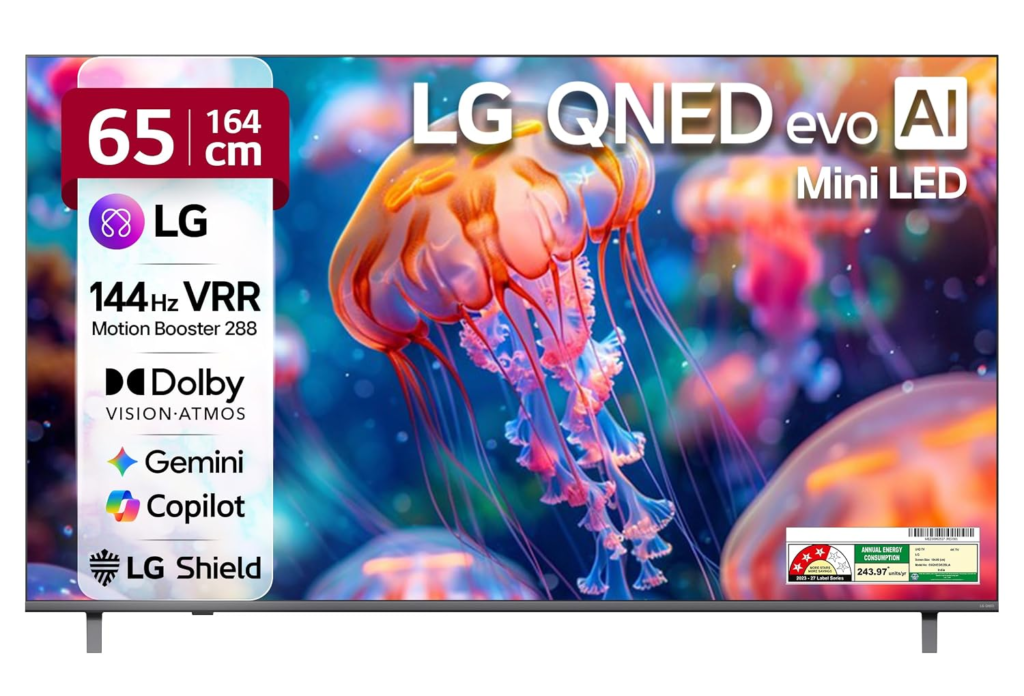
What you can actually do about blooming:
The first thing to try is adjusting the local dimming setting. Go to Picture Settings, then Expert Settings, and find Local Dimming. Setting local dimming to Medium or Low instead of High reduces the contrast between bright and dark areas by keeping the surrounding zones slightly brighter, which physically reduces the visible halo around bright objects. The tradeoff is that blacks will look slightly less deep, but the overall image often looks more natural and less distracting.
Try the Filmmaker Mode or Cinema picture preset. LG’s Filmmaker Mode applies more conservative local dimming algorithms that prioritize image accuracy over aggressive contrast, which typically produces less blooming than the Vivid or Standard modes that most TVs ship with as defaults.
Reduce the Backlight setting. A slightly lower backlight level reduces the intensity of the light spread from bright zones into dark zones, which directly reduces the visibility of the halo effect. Start at around 70% of maximum and see whether the picture becomes more comfortable.
Adjust the OLED Light or Panel Brightness equivalent if available on your model.
What you cannot fix through settings: If your unit genuinely has very few dimming zones for its screen size, settings adjustments will reduce blooming but never eliminate it. Zone count alone does not guarantee good blooming control since the dimming algorithm matters just as much, but a TV with very few zones for its size will always show more blooming than one with more, regardless of algorithm quality.
Problem 2: LG QNED Dark Uniformity Problems
LG Mini LED TV dark uniformity problems are closely related to blooming but distinct enough to address separately. Where blooming describes halos around specific bright objects, dark uniformity describes uneven brightness across large dark areas of the screen — patches of grey rather than consistent black across the whole panel.
On the LG 75QNED91, the issue manifests as patchy, uneven dark areas that are clearly visible during dark scenes, particularly in a dimmed room. Increasing the backlight helps by reducing the contrast between bright and dark areas, but it is not a perfect fix.
This issue is partly inherent to IPS-type panels, which LG uses in most of its QNED lineup. IPS panels have objectively worse native contrast than VA panels (the type used in many competing Samsung and TCL models), meaning blacks on an IPS panel look lighter grey before local dimming even activates. When local dimming is applied in zones, those zones need to work much harder on an IPS panel to achieve acceptable black levels, and the result is uneven dimming that shows up as patches rather than consistent darkness.
What you can do:
Adjust local dimming to Medium rather than High, as above. On High, the TV aggressively dims zones to try to compensate for IPS’s contrast weakness, which often makes the patchiness more visible rather than less because the transitions between zones become more pronounced.
Watch with some ambient light rather than in a fully darkened room. The eye’s sensitivity to dark uniformity drops significantly with even a small amount of ambient light in the room, and content that looks problematic in total darkness becomes much less noticeable with a bias light behind the TV.
Use a bias light behind your TV set to approximately 10% brightness. This is the single most effective perceptual fix for dark uniformity issues across any LCD technology.
If the dark uniformity issue is extreme and localised to one corner or edge: This can sometimes indicate a physical defect in the panel rather than a technology limitation. If the dark area is consistently in one location regardless of content and doesn’t shift, this may be a warranty-eligible defect. Document it by recording the screen displaying a 50% grey test pattern and contact LG support.
Problem 3: LG Mini LED Zone Count Dishonesty
LG’s marketing around the QNED Mini LED lineup has generated documented cases of false advertising, with verified engineering reports in at least one European market confirming that units sold as Mini LED with thousands of dimming zones were actually edge-lit or basic FALD units with far fewer zones than advertised.
This is not a marginal or disputed issue. The AVS Forum thread documenting this has over 800 replies as of 2026, with owners from multiple countries confirming the same discrepancy between LG’s marketed zone counts and the actual hardware inside their units.
What this means practically for buyers:
The QNED numbering system is the key: QNED85 and below are generally not true Mini LED products in the same sense as QNED90 and above. The higher the QNED number, the more likely the unit actually contains genuine Mini LED full-array backlighting with meaningful zone counts. Lower-numbered QNED models in the 2024 and 2025 lineup have been documented as edge-lit or very low-zone FALD units marketed using Mini LED branding.
If you already own a unit you believe was misrepresented:
Check the specifications on LG’s own product page for your exact model number and compare the stated zone count to what independent reviewers measured on the same model. Sites like RTINGS.com measure actual local dimming zone counts independently, and their measurements frequently differ from LG’s marketing claims.
In markets with strong consumer protection laws (EU, UK, Australia), a confirmed misrepresentation between marketed and actual specifications is potentially actionable under consumer protection legislation. Keep your purchase receipt, box, and any marketing materials that stated specific zone counts.
Problem 4: LG Mini LED TV Local Dimming Artifacts
Beyond blooming and dark uniformity, LG QNED owners report several other local dimming artifacts that affect everyday viewing.
Brightness pumping or flickering during dark scenes:
When a dark scene contains small bright elements (a candle, a lit window, a single light source), the TV’s local dimming algorithm can cause the overall brightness of the image to pulse or fluctuate as the algorithm tries to decide how aggressively to dim the surrounding zones. This appears as a subtle breathing or pumping of the image brightness that some viewers find deeply distracting and others never notice.
Fix: Set local dimming to Low or Off for content where you notice this. For sports, gaming, and brightly lit content, the effect rarely triggers. For dark cinematic content, Low or Off local dimming gives a more consistent image at the cost of some black level depth.
Dimming lag on fast-moving bright objects:
Fast dimming has its own set of challenges. The local dimming algorithm needs time to calculate which zones to activate and at what brightness. On fast-moving content, this can create a subtle trailing or ghosting effect where the zone behind a moving bright object hasn’t activated fully before the object has already moved forward.
This is more visible in gaming at high frame rates and during fast sports broadcasts than in standard cinema content. Reduce the local dimming setting and confirm Game Mode is enabled when gaming, as Game Mode typically applies a faster, less aggressive dimming algorithm to prioritize response time.
Corner and edge brightness inconsistency:
On many LG QNED models, the corners of the screen show slightly different brightness levels than the center during full-field grey or white test patterns. This is partly an IPS characteristic and partly a dimming zone boundary artifact. During normal content it is generally not noticeable, but on test patterns and certain sports broadcasts with bright uniform backgrounds (cricket, tennis, golf) the edges can look visibly different from the center.
Problem 5: LG QNED Mini LED Colour Accuracy Issues
LG QNED combines Mini LED backlighting with Quantum Dot technology (called NanoCell in LG’s branding) to improve colour gamut. In practice, the implementation has received mixed reviews compared to competing Quantum Dot Mini LED products from Samsung and TCL.
NanoCell in LG’s QNED lineup uses a slightly different approach to Quantum Dot technology than Samsung’s QLED implementation. Independent measurements have shown that some QNED models fall short of the colour volume performance that LG’s marketing implies, particularly at high brightness levels where the combination of IPS panel characteristics and the NanoCell filter causes some colour washout.
Settings to improve colour accuracy:
Switch to Filmmaker Mode or the Cinema Home picture preset. These modes disable the Vivid Processing and Colour Enhancer features that LG applies by default, which artificially boost saturation in a way that looks impressive in a showroom but is objectively less accurate during normal viewing.
Calibrate your colour temperature. LG’s default Warm 50 or Warm colour temperature setting is generally much closer to the D65 broadcast standard than Cool or Medium settings, which tend to push the image toward blue-white.
Disable TruMotion (motion smoothing) for film content. While this doesn’t directly affect colour, the soap-opera effect from motion smoothing interacts with the local dimming system in ways that make colour transitions during panning scenes look less natural.
Problem 6: LG QNED Smart TV and WebOS Software Problems
LG Mini LED TVs run on WebOS, and alongside the hardware picture quality issues, a number of software and smart TV problems appear consistently in owner reports.
ThinQ AI remote microphone not responding:
The ThinQ button on LG’s Magic Remote occasionally stops registering voice commands. Fix: Go to Settings, then General, then AI Service, and toggle the AI Sound Pro or voice recognition off and back on. If this doesn’t work, remove the Magic Remote’s batteries for 30 seconds and re-pair it by holding the Home button while pointing at the TV until the remote vibrates.
WebOS app crashing or slow:
LG’s WebOS stores a significant amount of app cache data that accumulates over time. Go to Settings, then General, then System, then Additional Settings, then Home Settings, and clear the home dashboard cache. For specific apps that are slow or crashing, go to Settings, then Apps, select the problematic app, and clear its cache individually.
HDMI eARC not working:
A common complaint on newer LG QNED models connected to soundbars. Go to Settings, then Sound, then Sound Out, and confirm eARC is set to Auto. Then go to Settings, then General, then Devices, then TV Sound Output, and toggle HDMI eARC mode off and back on. This re-handshakes the eARC connection and resolves the majority of eARC connectivity issues without a power cycle.
Picture settings resetting after firmware update:
LG firmware updates occasionally reset custom picture calibrations back to defaults. Before any firmware update, photograph your settings or write them down. After updating, reapply your settings and check whether the local dimming behaviour has changed, since firmware updates sometimes alter the dimming algorithm even on the same physical hardware.
Input lag higher than expected in Game Mode:
If you’re seeing higher input lag than reviews suggested for your model, confirm that both HDMI Ultra Deep Colour (UHD Colour) and HFR are enabled on the specific HDMI port you’re using. These must be enabled port-by-port in LG’s settings and default to off. Go to Settings, then Picture, then Additional Settings, then HDMI Ultra HD Deep Colour, and enable it for your gaming console’s input port.
Problem 7: LG Mini LED TV Overheating
Several QNED models, particularly the larger screen sizes running at high brightness in HDR content for extended periods, generate significant heat from the Mini LED backlight array.
Signs your LG QNED is running too hot: the back panel becomes uncomfortable to touch near the center where the backlight is densest, the unit automatically reduces peak brightness during extended HDR viewing (this is a thermal protection feature, not a fault), or the unit shuts itself off after extended high-brightness use.
What to do:
Ensure at least 4 inches of clearance above and on both sides of the unit for airflow. Do not install the TV flush into a built-in cabinet without ventilation, since the trapped heat can trigger thermal throttling and reduce peak brightness during the content that most needs it.
Reduce the Backlight or OLED Light Equivalent setting slightly during extended viewing sessions. Dropping from 100% to 80% backlight significantly reduces heat output while having a less noticeable impact on perceived brightness than the raw number suggests.
If the TV is wall-mounted, confirm the mounting bracket allows some gap between the TV’s back panel and the wall rather than flush-mounting the unit directly against the wall surface.
Samsung vs LG Refrigerator: Which Brand Is Actually Better?
LG QNED Mini LED Settings: The Best Configuration for Each Use Case
Rather than chasing the settings that look most impressive in a bright showroom, here are the configurations that actually work best for each viewing situation:
Dark room, cinematic viewing:
- Picture Mode: Filmmaker Mode or Cinema
- Local Dimming: Low or Medium (not High — this is counterintuitive but reduces patchiness)
- Backlight: 50 to 65%
- TruMotion: Off
- HDR Dynamic Tone Mapping: On
Bright room, daytime viewing:
- Picture Mode: Standard or Vivid
- Local Dimming: High (bright room masks the blooming so the benefit outweighs the artifact)
- Backlight: 80 to 100%
- TruMotion: User or Smooth at low setting for sports
Gaming:
- Picture Mode: Game Optimizer
- VRR (Variable Refresh Rate): On
- Local Dimming: Low (reduces dimming lag artifacts during fast movement)
- Input lag: Confirm HDMI Ultra HD Deep Colour is enabled on your specific port
- HGiG: On for HDR gaming (maps HDR more accurately to the TV’s actual capabilities)
Sports:
- Picture Mode: Standard
- TruMotion: User, set to Dejudder 0, Deblur 5
- Local Dimming: Medium
- Colour Enhancer: Low
LG 164 cms (65 inches) Q82 AI Series 4K Ultra HD
Should You Return or Keep Your LG QNED Mini LED TV?
If your unit has genuine blooming and dark uniformity issues that bother you consistently, but the zone count matches what was advertised and the unit is otherwise functioning correctly, this is a technology limitation rather than a defect. Settings adjustments will improve the experience significantly, but they won’t completely eliminate the physics of zone-based backlighting.
If your unit’s actual zone count is significantly lower than what LG’s marketing, the product box, or the retailer listing stated, you have grounds for a return or exchange under consumer protection law in most markets. Document the discrepancy using independent measurements from trusted review sources and contact the retailer first, then LG if the retailer declines.
Bloom is getting better all the time, but OLED is still the gold standard for contrast and black levels, and Mini LED won’t reach that level until micro-LED technology becomes commercially mainstream. If dark scene performance in a fully darkened room is your absolute priority, OLED remains the right choice. If you want maximum brightness for a bright living room, genuine Mini LED (with a confirmed high zone count) is still the right trade-off. The problem with LG’s QNED lineup specifically is that the variation in quality between models carrying the same “Mini LED” label is wider than it should be.
For a broader comparison of how LG’s Mini LED approach stacks up against Samsung’s equivalent technology and other panel types currently available, RGB Mini LED TV covers the full technology landscape, and OLED vs IPS vs VA: The Most Detailed Panel Comparison You’ll Read in 2026 goes into the brand-level picture quality and reliability differences across both lineups.
FAQ
- “Why does my LG QNED Mini LED TV have a halo around bright objects?”
- “How do I reduce blooming on my LG QNED TV?”
- “Is LG QNED actually Mini LED or is it edge-lit?”
- “What local dimming setting is best for LG QNED in a dark room?”
- “Why does my LG Mini LED TV have patchy blacks?”