
Is your WiFi slow even when you’re paying for a high-speed internet plan? You’re not alone. Slow internet is one of the most common issues in Indian households, especially with multiple devices connected at once.
In this guide, we’ll cover easy and practical fixes that actually work to boost your WiFi speed — no technical expertise needed.
Table of Contents
🚨 Why Is Your WiFi Slow? (Common Causes)
Before fixing, it’s important to understand the reasons behind slow WiFi:
- Too many connected devices
- Router placed in the wrong location
- Interference from walls or electronics
- Outdated router hardware
- ISP speed issues
- Background apps consuming bandwidth
Once you identify the problem, fixing it becomes much easier.
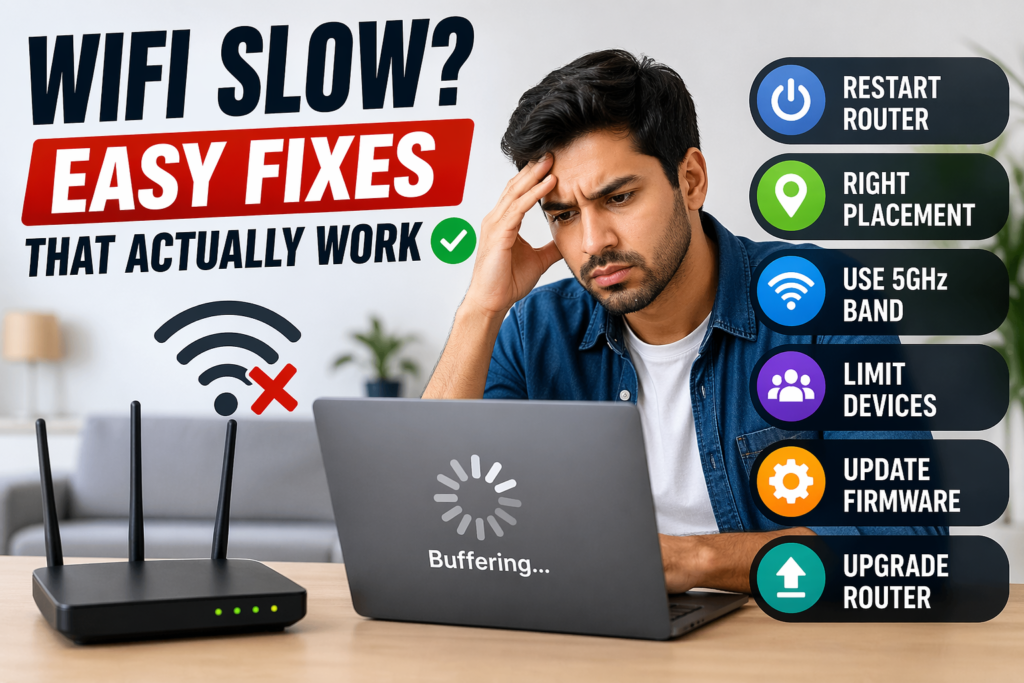
⚡ 1. Restart Your Router (Works 70% of the Time)
This is the simplest and most effective fix.
👉 What to do:
- Turn off your router
- Wait for 30–60 seconds
- Turn it back on
Restarting clears temporary bugs and refreshes your connection.
📍 2. Place Your Router in the Right Location
Router placement can drastically affect WiFi speed.
👉 Best placement tips:
- Keep it in a central location
- Avoid corners and closed cabinets
- Place it at a higher position (table/shelf)
- Keep away from walls and metal objects
👉 Bad placement = weak signal = slow speed
📶 3. Switch to 5GHz Band (If Available)
Most modern routers support dual-band WiFi.
- 2.4 GHz → Longer range but slower
- 5 GHz → Faster speed but shorter range
👉 Fix:
Connect to the 5GHz network for better speed if you’re near the router.
🔄 4. Limit Connected Devices
Too many devices slow down your network.
👉 Fix:
- Disconnect unused devices
- Log out from unknown devices
- Use router settings to limit connections
👉 More devices = less speed per device
🔧 5. Update Router Firmware
Outdated firmware can reduce performance.
👉 Fix:
- Log into your router settings
- Check for firmware updates
- Install the latest version
This improves speed, security, and stability.
🚫 6. Reduce Interference
WiFi signals can be affected by:
- Microwave ovens
- Bluetooth devices
- Thick walls
- Other nearby WiFi networks
👉 Fix:
- Keep router away from electronics
- Change WiFi channel in settings
- Use 5GHz for less interference
MacBook Overheating After Update? Fix It Fast
💻 7. Close Background Apps & Downloads
Sometimes the issue is not WiFi — it’s your device.
👉 Fix:
- Close apps running in background
- Pause downloads and updates
- Check for malware or heavy processes
📡 8. Upgrade Your Router (Important)
If your router is 3–5 years old, it may be outdated.
👉 Signs you need an upgrade:
- Frequent disconnections
- Slow speeds even after fixes
- Poor coverage
👉 Upgrade to a WiFi 6 router for better speed and stability.
Why Is Your Laptop So Slow? Proven Fixes, Upgrades, and Expert Tips
🔁 9. Use a WiFi Extender or Mesh System
If you have a large house or multiple rooms:
👉 Fix:
- Use a WiFi extender for small boost
- Use a mesh WiFi system for full coverage
👉 Best solution for dead zones
📊 10. Check Your Internet Plan Speed
Sometimes the issue is your ISP.
👉 Fix:
- Run a speed test
- Compare with your plan speed
- Contact ISP if speed is lower
❓ FAQs: WiFi Slow Fix
Why is my WiFi slow even with high-speed plan?
Your WiFi can be slow due to poor router placement, too many devices, interference, or outdated hardware. Even with a fast plan, these factors can reduce actual speed.
How can I make my WiFi faster at home?
You can improve WiFi speed by restarting your router, switching to 5GHz, placing the router centrally, limiting connected devices, and updating firmware.
Does router position affect WiFi speed?
Yes, router position plays a major role. Placing it in a central, open, and elevated location improves signal strength and speed.
Should I upgrade my router for faster WiFi?
Yes, upgrading to a modern router (like WiFi 6) can significantly improve speed, coverage, and stability, especially in homes with many devices.
🏁 Final Thoughts
Slow WiFi can be frustrating, but in most cases, it’s easy to fix. From simple steps like restarting your router to upgrading your hardware, these solutions can dramatically improve your internet speed.
👉 Start with the basic fixes first — you might solve the problem in minutes.
Read more at ThenextGadgets.com